Installing OpenVPN
Go to OpenVPN official website here to download last installer.

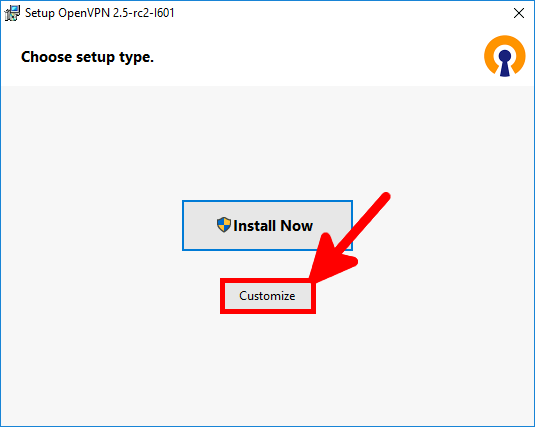
- As we want to install OpenVPN as server we will choose Customize :
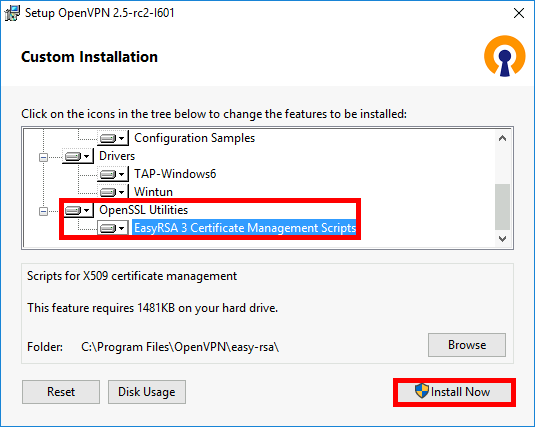
- We enable OpenVPN Service in order to make it work at boot :

- And we install EasyRsa in order to be able to create server and clients certificates :
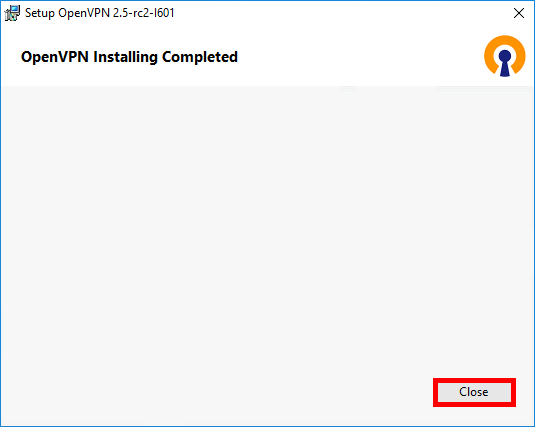
- Once done click Close :
Setting up Certificate Authority (CA) and generating certificates and keys for server and clients
Here we will set up a pki to be able to create our server and clients certificates.
- Open a Command Prompt as administrator :
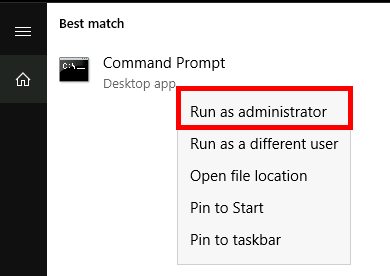
- And type the following commands to enter inside EasyRSA shell :
C:\Windows\system32>cd C:\Program Files\OpenVPN\easy-rsa
C:\Program Files\OpenVPN\easy-rsa>EasyRSA-Start.bat
- Remove existing configuration, just for good measure :
# ./easyrsa clean-all
- Initialize pki, and type yes to confirm :
# ./easyrsa init-pki
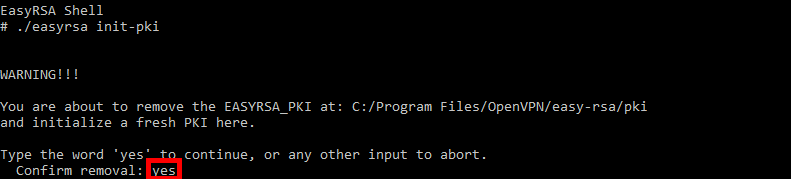
- Build certificate authority :
# ./easyrsa build-ca nopass
[…]
Common Name (eg: your user, host, or server name) [Easy-RSA CA]:ovpn- Build server certificate and key :
# ./easyrsa build-server-full server nopass
- Generate Diffie Hellman parameters :
# ./easyrsa gen-dh
- Generating client certificates :
# ./easyrsa build-client-full client01 nopass
Certificates
- Put this files (from C:\Program Files\OpenVPN\easy-rsa\pki, C:\Program Files\OpenVPN\easy-rsa\pki\issued and C:\Program Files\OpenVPN\easy-rsa\pki\private) :
- ca.crt
- dh.pem
- server.crt
- server.key
- To C:\Program Files\OpenVPN\config-auto and C:\Program Files\OpenVPN\config folders.

Add a Windows Firewall Rule
We need to open 1194 udp port to allow OpenVPN clients connections. Use the Windows Firewall Management Console or this command inside a Administrator command line console to do that.
C:\Windows\system32>netsh advfirewall firewall add rule name="OpenVPN" dir=in localport=1194 remoteport=0-65535 protocol=UDP action=allow remoteip=any localip=any
C:\Program Files\OpenVPN\config-auto\server.ovpn
As administrator, edit C:\Program Files\OpenVPN\config-auto\server.ovpn file :
port 1194
proto udp
dev tun

ca ca.crt
cert server.crt
key server.key
dh dh.pem

server 10.50.8.0 255.255.255.0
ifconfig-pool-persist ipp.txt

keepalive 10 120

comp-lzo

persist-key
persist-tun

status openvpn-status.log

verb 3
Then, restart the OpenVPN service :
- From, services management console :
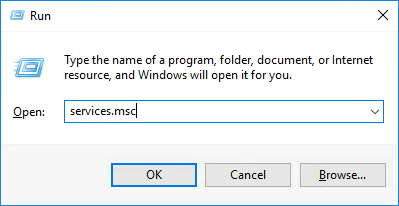
- Right click OpenVPNService then Restart :
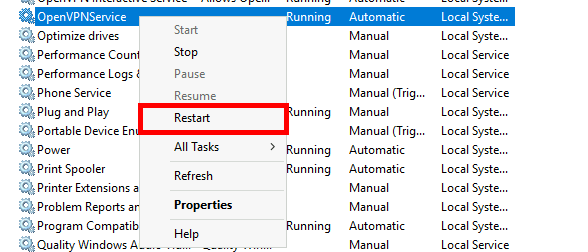
- Or from an administrator Command Prompt :
C:\Windows\system32>net stop openvpnservice
C:\Windows\system32>net start openvpnservice
Client configuration

- OpenVPN Client :
- OS : Windows 10
- Role : OpenVPN Client
Installing OpenVPN
We will download the same package, and here install with default parameters.
Copy certificates from the Server
- From the Server get the following files (from C:\Program Files\OpenVPN\easy-rsa\pki, C:\Program Files\OpenVPN\easy-rsa\pki\issued and C:\Program Files\OpenVPN\easy-rsa\pki\private) :
- ca.crt
- client01.crt
- client01.key
- And paste them to C:\Program Files\OpenVPN\config.
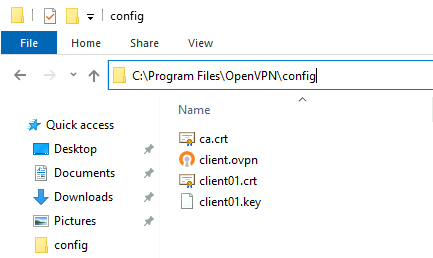
- C:\Program Files\OpenVPN\config\client.ovpn
Edit the client.ovpn file with administrator rights :
client

dev tun

proto udp

remote OPENVPN_IP 1194

resolv-retry infinite
nobind
persist-key
persist-tun

ca ca.crt
cert client01.crt
key client01.key

comp-lzo

verb 3
Establishing the connection
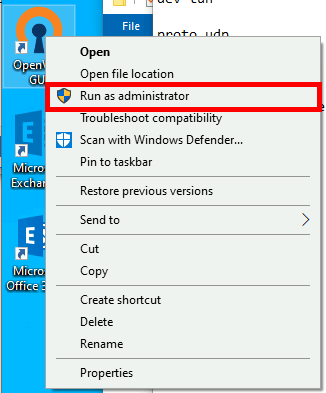
- Run as administrator
- Start the connection
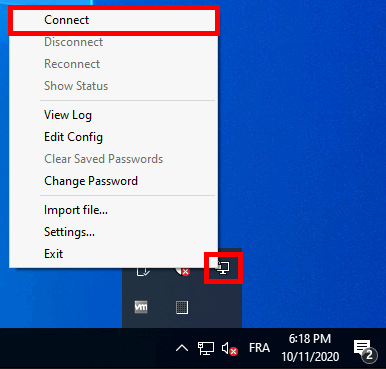
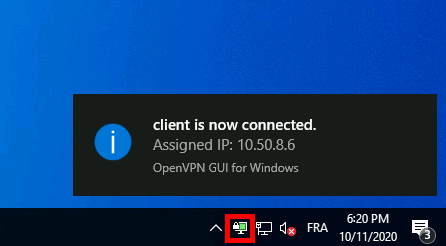
- A pop up will confim that we are connected